E-Khata in Bangalore: What It Is, How to Download It and Fix Common Issues
E-khata Bangalore explained: what it is, how to download it online, A khata vs B khata, documents needed, and how to fix common errors.
Shailesh
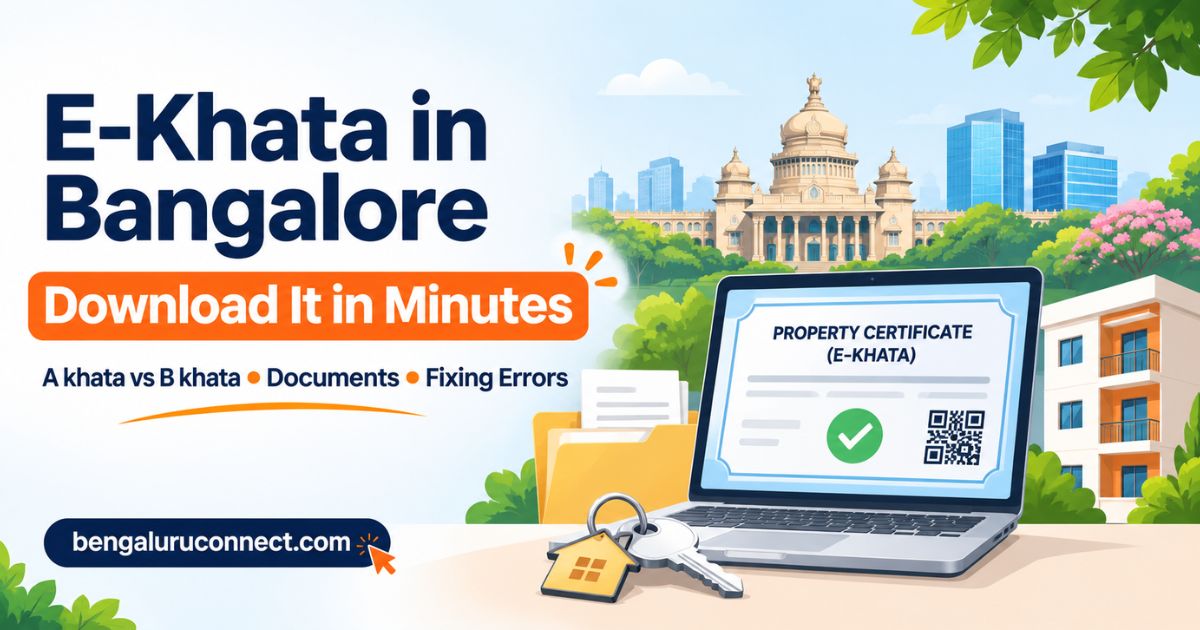
E-khata in Bangalore is the digital version of your property's khata, the civic record that lists the owner and tax details of a property. It is issued by the Greater Bengaluru Authority (GBA), which replaced the BBMP, and can be downloaded online through the e-Aasthi portal using your SAS property tax ID.
Whether you are buying a flat in Whitefield, selling a site in Yelahanka or renewing a loan on a house in Jayanagar, someone will ask for your e-khata. This guide explains what it is, how it differs from an A khata or B khata, how to download it, and what to do when the process gets stuck.
Key Takeaways
E-khata is the official digital khata record. Banks, sub-registrars and buyers now expect it for most property transactions.
You can usually download it online with your SAS property tax ID and an OTP on your linked mobile number.
A khata means the property is fully approved. B khata means it has gaps, which affects loans and approvals.
Most delays come from name mismatches, a wrong mobile number or missing documents. All of these can be fixed.
Rules and fees change, so always confirm on the official GBA portal before you pay or apply.
Current Rules: GBA, BBMP and the E-Khata Portal
Last checked: November 2026. Civic rules change often, so confirm on the official portal.
Naming: The Bruhat Bengaluru Mahanagara Palike (BBMP) has been succeeded by the Greater Bengaluru Authority (GBA). You will still see "BBMP khata" on older papers and in everyday conversation. The document is the same record under the new name.
City structure: The GBA oversees city corporations for different parts of Bengaluru. Your property falls under one of them, which can matter for where you raise a query.
Portal: E-khata services run through the e-Aasthi portal of the Karnataka government.
Download by SAS ID: Since late April 2026, news reports say owners of roughly 13 lakh properties can download their e-khata using the SAS property tax ID. Check whether your property is covered.
For the latest announcements, such as open houses and deadlines, keep an eye on Bengaluru Connect's local news section.
What Is E-Khata in Bangalore?
A khata is the municipal record that identifies a property and its owner for tax purposes. For decades it was a paper certificate. E-khata moves that record into a digital database. Each property has a unique entry, and the certificate you download carries a QR code or reference that can be checked.
What does an e-khata contain?
An e-khata typically shows the owner's name, the property's address and identification number, the site or built-up area, the khata type (A or B) and the property tax details. Exact fields can vary by property type.
Why do you need an e-khata?
Buying or selling a flat, house or plot, including the registration process
Applying for a home loan or loan against property
Getting a building plan sanction or an occupancy certificate
Applying for utility connections, such as BESCOM or BWSSB services
Paying property tax without errors
A Khata vs B Khata: What Is the Difference?
This is one of the most searched questions among Bengaluru property buyers, and for good reason. Many sites in revenue layouts around Sarjapur Road, Electronic City and the city's outskirts have historically been B khata. The table gives a simple comparison.
Feature | A Khata | B Khata |
|---|---|---|
Legal status | Property is fully approved, with a legal layout and the required conversions and plans | Property is recorded for tax but has approval gaps, such as an unapproved layout or building plan |
Property tax | Paid and accepted as per norms | Usually paid, often at a different rate. Check current rules. |
Bank loans | Generally easier to get | Many banks hesitate or decline. It varies by lender. |
Building plan sanction | Usually possible | Often restricted until the property is regularised |
Resale | Easier, with a wider pool of buyers | Harder, and prices may be lower |
Karnataka has run special drives to resolve property record issues and convert eligible B khata properties to A khata. Eligibility depends on your property's history, so ask the GBA or a property lawyer before assuming yours qualifies.
How Do I Download My E-Khata Online?
This is the fastest route if your property is already in the digital database. Official screens and labels can change, so treat these steps as a guide.
Find your SAS property tax ID. It appears on your property tax receipt and tax records.
Open the e-Aasthi portal. Use only the official Karnataka government or GBA website. Avoid third-party "agents" who ask for upfront payments.
Choose the e-khata download option. Enter your SAS ID.
Verify with an OTP. It goes to the mobile number linked to the property record.
Check the details. Confirm the name, address, area and khata type before you do anything else.
Pay the fee, if applicable, and download the PDF. News reports have mentioned a small fee, but amounts can change, so confirm it on the portal.
Save the file in two places, such as your phone and email, and keep a printout in your property folder. You will need it for registrations and loans.
What Documents Are Needed for E-Khata?
If you are downloading an existing e-khata, you mostly need your SAS ID and linked mobile number. If you are applying fresh, such as after a purchase or a correction, the requirements are longer. The list below covers the documents commonly asked for, but it depends on your case and the property type.
Registered sale deed, gift deed, partition deed or other title document
Previous khata certificate or khata extract
Latest property tax receipt
Encumbrance certificate for the relevant period
Aadhaar and PAN or another ID of the owner
Recent photograph and active mobile number
Approved building plan and occupancy certificate, where applicable
For inherited property: death certificate, legal heir certificate or will, and related papers
Keep clear scans ready, because blurry uploads are a common reason for rejection.
How Does the E-Khata Online Application Work?
If your property does not show up for instant download, you may need to submit an e-khata online application through e-Aasthi.
Register or log in on the portal with your mobile number.
Select the service that matches your case: new e-khata, correction or transfer.
Fill in the property and owner details exactly as they appear on your documents.
Upload the required documents.
Pay any applicable fee and note your application number.
Track the status online. Officials may ask for clarifications or a site inspection.
Processing time varies by case. News reports have mentioned commitments to deal with pending applications quickly, but do not count on a fixed number of days. If your application seems stuck, the GBA has held open-house events in some months to resolve property record issues, so check the latest announcements.
How Does Khata Transfer in Bangalore Work?
Khata transfer in Bangalore means moving the khata to the new owner's name after a sale, inheritance or gift. Registering the sale deed does not automatically update the khata, so many buyers forget this step and face problems later.
Complete registration of the sale deed or other title document.
Collect the registered deed, the seller's khata papers and the latest tax receipt.
Apply for transfer on the e-Aasthi portal or at the relevant GBA office.
Respond to any queries and, if asked, allow a site visit.
Download the updated e-khata in your name and check every detail.
Before buying, ask the seller for the current e-khata and confirm the owner's name and khata type. If you are new to the city and unsure whom to trust, read our guide on how to choose a reliable real estate agent in Bengaluru.
What Are the Common E-Khata Errors and How Do I Fix Them?
Problem | Likely cause | What to try |
|---|---|---|
SAS ID not found | Typing error, or the property is not yet in the digital database | Re-check the ID on your tax receipt. If it is still not found, file an application. |
OTP not received | Wrong or outdated mobile number linked to the record | Request a mobile number update through the portal or the GBA office. |
Name mismatch | Spelling or initials differ between documents | Apply for a correction with supporting ID and deed copies. |
Wrong area or address | Old data entry error | Raise a correction with the sale deed and plan as proof. |
Application rejected | Missing or unclear documents | Read the rejection reason, upload clear documents and reapply or respond. |
Application stuck | Pending verification or query | Check status, then contact the concerned corporation office with your application number. |
Unpaid tax blocks the process | Property tax dues on record | Clear dues on the official portal and keep the receipt. |
If a problem repeats, a property lawyer or a verified local real estate professional can help you work out what is wrong with the record.
Conclusion
E-khata in Bangalore has made a once slow, paper-heavy process far more manageable. Know your SAS ID, check that the name, area and khata type are correct, and sort out errors early so they do not delay a sale or a loan. Rules and fees keep changing, so use the official portal as your final source.
If you are buying, selling or sorting out a property record and want help from someone who knows the local process, explore the verified real estate professionals on Bengaluru Connect and choose one who fits your needs.
Last verified: November 2026, based on news reports. This article is general information, not legal advice. For title, khata or tax disputes, consult a qualified property lawyer or the GBA directly.

Frequently Asked Questions
Share this post
Comments (0)
No comments yet. Be the first to comment!